

Mobile App Development
Categories: After SEE, IT Training
About Course
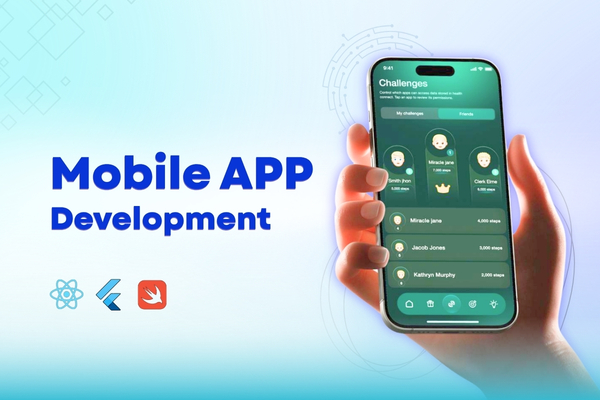
This comprehensive 8-week course is designed to take students from the fundamentals of Flutter and Dart programming to building and deploying fully functional mobile applications. By the end of the course, students will have a strong foundation in Flutter, gained hands-on experience with state management, API integration, Firebase, and advanced app features, and developed the skills to create professional-grade applications. Through practical projects and real-world applications, students will be equipped to apply their knowledge confidently in mobile app development.
What Will You Learn?
- Setting up Flutter and Dart development environment.
- Understanding Dart programming fundamentals and Object-Oriented Programming (OOP).
- Working with Flutter widgets, layouts, and UI components.
- Handling user input and form validation.
- Implementing navigation, state management, and multi-screen applications.
- Integrating APIs and handling local storage solutions.
- Enhancing UI/UX with animations, themes, and gesture handling.
- Implementing Firebase services (Authentication, Firestore, Storage, Cloud Messaging).
- Working with advanced Flutter features like maps, background services, and deep linking.
- Writing unit and widget tests for app reliability.
- Preparing and deploying applications to the App Store and Play Store.
- Developing a final project incorporating all learned concepts.
Course Content
Syllabus+ Demo Videos (copy)
This consists of the syllabus and trial videos for Flutter app development, which will help you get started on your mobile app development journey.
Week 1
In Week 1, students will set up Flutter, learn Dart basics (variables, data types, functions, control flow), dive into Object-Oriented Programming (classes, constructors, inheritance), explore the widget tree, and understand key layout widgets like Container, Row, Column, Stack, and ListView.
-
Day 1
-
Day 1 Quiz
-
Day 2
-
Day 2 Quiz
-
Day 3
-
Day 3 Quiz
-
Day 4
-
Day 4 Quiz
-
Day 5
-
Day 5 Quiz
-
Week 1 Assignment
Week 2
In Week 2, students will dive into Flutter’s navigation system, learning to manage screens using Navigator, named routes, and page transitions. They’ll also explore state manageament with setState aand Provider, and understand how to display dialogs, snackbars, and toast messages for better user feedback.
-
Day 6
-
Day 6 Quiz
-
Day 7
-
Day 7 Quiz
-
Day 8
-
Day 8 Quiz
-
Day 9
-
Day 9 Quiz
-
Day 10
-
Day 10 Quiz
-
Week 2 Assignment
Week 3
In Week 3, students will learn to work with APIs and local storage in Flutter. They’ll make HTTP requests, parse JSON data, and use ListView to display it. They will also explore sqflite, Hive, and Shared Preferences for data storage, and build a News App to fetch and store news from an API.
-
Day 11
-
Day 11 Quiz
-
Day 12
-
Day 12 Quiz
-
Day 13
-
Day 13 Quiz
-
Day 14
-
Day 14 Quiz
-
Day 15
-
Day 15 Quiz
-
Week 3 Assignment
Week 4
In Week 4, students will focus on creating custom widgets, implementing themes and dark mode, and mastering animations. They will also explore advanced animations with Lottie and learn to handle gestures like swipe, drag, and pinch for interactive UIs.
-
Day 16
-
Day 16 Quiz
-
Day 17
-
Day 17 Quiz
-
Day 18
-
Day 18 Quiz
-
Day 19
-
Day 19 Quiz
-
Day 20
-
Day 20 Quiz
-
Week 4 Assignment
Week 5
In Week 5, students will dive into Firebase services, focusing on authentication, Firestore CRUD operations, push notifications using Cloud Messaging, and image uploading with Firebase Storage.
-
Day 21
-
Day 21 Quiz
-
Day 22
-
Day 22 Quiz
-
Day 23
-
Day 23 Quiz
-
Day 24
-
Day 24 Quiz
-
Day 25
-
Day 25 Quiz
-
Week 5 Assignment
Week 6
In Week 6, students will learn about maps and location services, implement background services, explore deep linking and dynamic links, and dive into unit & widget testing. They will also understand the key App Store and Play Store guidelines for app submission.
-
Day 26
-
Day 26 Quiz
-
Day 27
-
Day 27 Quiz
-
Day 28
-
Day 28 Quiz
-
Day 29
-
Day 29 Quiz
-
Day 30
-
Day 30 Quiz
-
Week 6 Assignment
Week 7
In Week 7, students will focus on building and refining their final projects, incorporating everything they've learned throughout the course. They will work on creating a complete app, followed by UI refinements, bug fixes, and performance optimization. The week will conclude with a final presentation where students showcase their apps.
-
Day 31
-
Day 32
-
Day 33
-
Day 34
-
Day 35